If you own a Shark Robot Vacuum, you know how handy it is to keep your floors clean without lifting a finger. But did you know that cleaning your vacuum regularly is key to keeping it working like new?
Ignoring this simple task can lead to poor performance, shorter battery life, and even costly repairs. You’ll learn easy, step-by-step tips to clean your Shark Robot Vacuum quickly and effectively. By following these simple steps, you’ll make sure your vacuum stays powerful, efficient, and ready to tackle any mess.
Keep reading to discover how a little maintenance can save you time and money in the long run.

Credit: www.youtube.com
Preparing Your Shark Vacuum
Before starting the cleaning process, preparation is key. It helps keep your Shark robot vacuum safe and working well. Taking a few simple steps makes cleaning easier and faster.
Proper preparation reduces the risk of damage. It also improves the vacuum’s performance. Follow these steps carefully to get ready for cleaning.
Gathering Cleaning Tools
Collect all the tools you need before you begin. A soft cloth works well for wiping surfaces. Use a small brush to clean tight spaces. A pair of scissors helps to cut tangled hair or threads. Have a can of compressed air handy to clear dust from sensors. Keep these tools nearby for quick access.
Powering Off And Unplugging
Turn off your Shark vacuum before cleaning. Press the power button until it stops running. Unplug the charging dock from the wall. This prevents accidental starts and electrical hazards. Safety first ensures a smooth cleaning process.
Emptying The Dustbin
Emptying the dustbin is an essential step to keep your Shark robot vacuum working well. Regularly clearing the dustbin helps maintain strong suction and prevents damage. It also ensures your home stays clean and dust-free.
Cleaning the dustbin is quick and easy. It takes just a few simple steps. Follow these instructions to remove and empty the dustbin properly.
Removing The Dustbin
Start by turning off the vacuum. Locate the dustbin on the side or back. Press the release button to unlock it. Gently pull the dustbin out from the vacuum body. Avoid forcing it to prevent damage.
Disposing Of Debris
Hold the dustbin over a trash can. Open the dustbin lid or bottom flap. Let the debris fall out naturally. Use a small brush to remove stuck dirt. Close the dustbin securely before reinserting it into the vacuum.
Cleaning The Filters
Cleaning the filters of your Shark Robot Vacuum is important for its strong cleaning power. Dirty filters block air flow and reduce suction. Keeping filters clean helps your vacuum pick up dust and dirt better. It also protects the motor from damage.
Removing The Filters
First, turn off your vacuum and remove the dust cup. Look for the filter inside the dust cup or near the motor. Gently pull the filter out. Check your model’s manual for exact location. Handle the filter carefully to avoid damage.
Washing And Drying Filters
Wash the filter with cold water only. Do not use soap or cleaning agents. Rinse the filter until the water runs clear. Shake off extra water gently. Let the filter dry completely before placing it back. It may take up to 24 hours to dry.
Replacing Filters
Filters lose efficiency over time. Replace them every 3 to 6 months. Check your vacuum’s manual for recommended replacement parts. Insert the new filter properly into the dust cup. A clean filter keeps your vacuum working well for longer.
Maintaining The Brushes
Maintaining the brushes of your Shark robot vacuum keeps it working well. Clean brushes help the vacuum pick up dust and dirt better. Regular care stops clogs and damage. This saves time and money on repairs. Follow simple steps to keep the brushes clean and strong.
Detaching The Main Brush
Turn off the vacuum before cleaning. Flip the vacuum over to see the main brush. Look for the brush cover release tabs. Press the tabs to remove the cover. Gently pull the main brush out. Avoid using force to prevent damage. Set the brush aside for cleaning.
Removing Hair And Debris
Check the brush for hair and dirt. Use your fingers or scissors to cut tangled hair. Pull out all hair and debris carefully. Clean the brush bristles to keep them flexible. Remove dust stuck on the brush ends. This helps the vacuum clean floors better.
Cleaning The Side Brushes
Side brushes spin to clean edges and corners. Gently pull each side brush from its base. Remove hair and dust wrapped around the bristles. Wipe the base to clear dirt buildup. Press the side brushes back until they click. Clean side brushes improve edge cleaning performance.
Wiping Sensors And Charging Contacts
Keeping your Shark robot vacuum’s sensors and charging contacts clean is key for smooth operation. Dirt or dust can block sensors, causing navigation problems. Dirty charging contacts may stop the vacuum from charging fully. Regular cleaning helps your robot work better and last longer.
Locating Sensors
Find the sensors on the bottom and sides of the vacuum. These small parts look like tiny windows or black dots. Some sensors face down to detect stairs and edges. Others are on the sides to avoid obstacles. Knowing their spots helps you clean them well.
Using A Soft Cloth
Use a soft, dry cloth to wipe sensors gently. Avoid wet or abrasive materials that can damage parts. Light pressure removes dust without scratching. Clean the sensors after every few uses to keep them clear. A microfiber cloth works best for this task.
Ensuring Proper Charging
Check the charging contacts on both the vacuum and its base. These metal pads need to be clean for good connection. Wipe them with a dry cloth to remove dirt or grime. Make sure the base is on a flat surface. This helps the vacuum charge fully and stay ready.

Credit: www.amazon.com
Inspecting Wheels And Rollers
Inspecting the wheels and rollers of your Shark robot vacuum is essential for smooth operation. Dirt and hair often get stuck in these parts. This can slow down your vacuum or cause it to stop working. Regular checks keep your vacuum running well and extend its life.
Removing Tangled Debris
Turn off your vacuum before cleaning. Use your fingers or tweezers to pull out hair and threads wrapped around the wheels and rollers. Clear any dust or small stones stuck in the grooves. Cleaning these parts helps the vacuum move freely and pick up dirt better.
Checking For Wear And Tear
Look closely at the wheels and rollers for cracks or flat spots. Worn parts can reduce cleaning power and cause uneven movement. Replace any damaged wheels or rollers to keep your vacuum working efficiently. Regular checks prevent bigger problems later.
Reassembling The Vacuum
After cleaning your Shark robot vacuum, putting it back together is the next step. Proper reassembly ensures the vacuum works well and lasts longer. Taking your time during this process helps avoid any damage or mistakes.
Reattaching Components
Start by placing the dustbin back into the vacuum. Make sure it fits snugly. Next, reattach the brush roll carefully. Align it with the slots and snap it into place. Replace the filter and close the cover securely. Check that all parts click and fit tightly.
Testing Functionality
Turn on the vacuum and listen for unusual sounds. Watch if the brush roll spins smoothly. Let the vacuum run for a few minutes to confirm it cleans properly. If it stops or acts strangely, check the parts again. Ensure the battery is charged for best results.
Tips For Regular Maintenance
Keeping your Shark robot vacuum clean helps it work better and last longer. Regular maintenance stops dirt from building up. It also keeps the vacuum running quietly and smoothly. Follow simple tips to take care of your vacuum every day.
Scheduling Cleaning Sessions
Set a regular time to clean your Shark robot vacuum. Do this at least once a week. Pick a day when your home is less busy. This keeps the vacuum ready to work well. Regular cleaning removes dust and hair from brushes. Check the dustbin and empty it often. This prevents blockages and keeps suction strong.
Storing Your Vacuum Properly
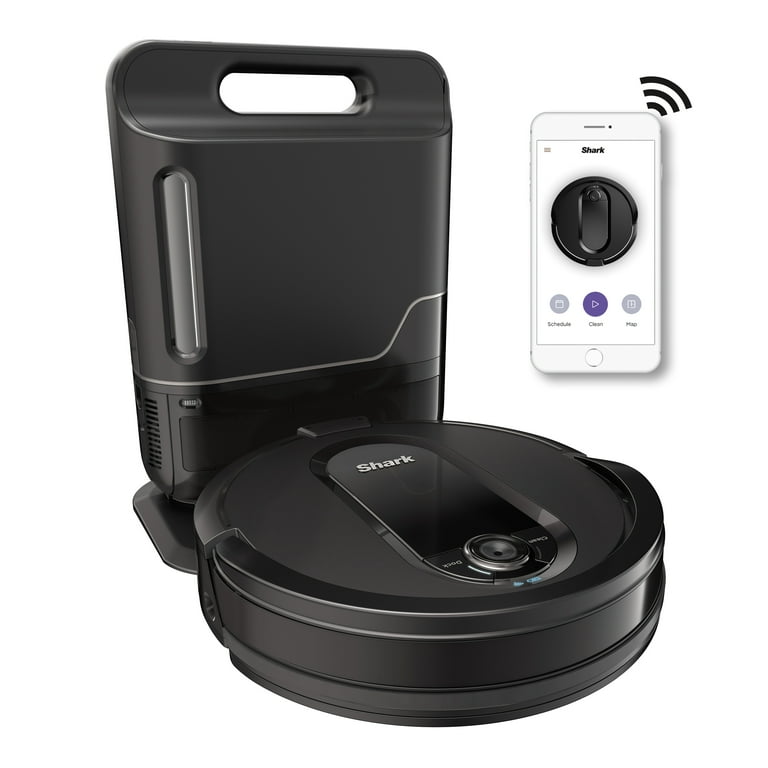
Keep your Shark robot vacuum in a clean, dry place. Avoid storing it in damp or dusty areas. Use the charging dock to keep it charged and safe. Make sure the charging contacts stay clean. Store the vacuum away from direct sunlight. This protects the battery and plastic parts from damage. Proper storage helps your vacuum last longer.
Credit: www.walmart.com
Frequently Asked Questions
How Often Should I Clean My Shark Robot Vacuum?
Clean your Shark robot vacuum after every 2-3 uses. Regular cleaning ensures optimal performance and prevents clogging. Check the brush roll, filters, and dustbin frequently. This habit extends the vacuum’s lifespan and maintains strong suction power for efficient cleaning.
What Parts Of Shark Robot Vacuum Need Regular Cleaning?
Focus on the brush roll, dustbin, filters, and sensors. Remove hair and debris from the brush roll. Empty and wash the dustbin regularly. Clean or replace filters as needed. Wipe sensors gently to maintain navigation accuracy and prevent errors.
Can I Wash The Shark Robot Vacuum Filters?
Yes, some Shark vacuum filters are washable. Use water only and let them air dry completely before reinstalling. Avoid using soap or harsh chemicals. Check your model’s manual for specific filter care instructions to avoid damage and maintain filter efficiency.
How Do I Clean The Brush Roll On Shark Vacuum?
Turn off the vacuum and remove the brush roll cover. Use scissors to cut away tangled hair and debris carefully. Wipe the brush roll with a dry cloth. Reassemble the parts securely before using the vacuum again to ensure proper function.
Conclusion
Cleaning your Shark robot vacuum keeps it working well for a long time. Regular care stops dust and dirt from building up inside. Remove and wash the brushes and filters often. Empty the dustbin after each cleaning session. Check the wheels and sensors for any blockages.
A clean vacuum cleans your home better and lasts longer. Simple steps can save you from costly repairs. Keep your Shark vacuum ready to clean anytime you need. Small efforts make a big difference in performance. Enjoy a cleaner home with a well-maintained robot vacuum.
As an Amazon Associate, I earn from qualifying purchases.